
Reinstall Modern apps via PowerShell

As of late, there are a couple of Store apps which just won’t install on any of my Windows 10 machines (One Commander and Open Live Writer in case you are interested).

The message shown is:

The error code is 0x80073CF9, in case you need it.

If you do a search on the error number you’ll find numerous posts and articles explaining on how this error might be solved. As it happens, the error also occurs on Windows Phone/Mobile systems.

One of the suggestions I came across is re-installing the Store app.

Uninstalling a Modern App is quite easy with tools like CCleaner. If you don’t have tools like this, it’s also possible to do this via the PowerShell Remove-AppxPackage cmdlet of course.

However, once uninstalled, how will you install the Store, without having a Store.
A System Restore might help, but I didn’t have any usable restore points.

An easier solution is to re-install the Store app via PowerShell. With the following command you will see all the applications which still reside on your system.

Get-AppxPackage -allusers | Select Name, PackageFullName

One of these should have a name similar to Microsoft.WindowsStore.
You can re-install this app by using the Add-AppxPackage cmdlet.
Read more →

Website live tiles in Windows 8

Windows 8 has given us a lot of new and cool features for both developers and users. One of these features is the possibility to pin websites to your start screen. Default this tile will look like the favicon of the website, but you are also able to change the pinned tile to a live tile. The live tile will get the necessary information from the RSS feed of the website.

To enable this website-live-tile-feature, just follow these steps.

First, navigate to the https://www.buildmypinnedsite.com website which acts as a wizard. This website is able to create both the icons and necessary HTML you need to implement on the website.

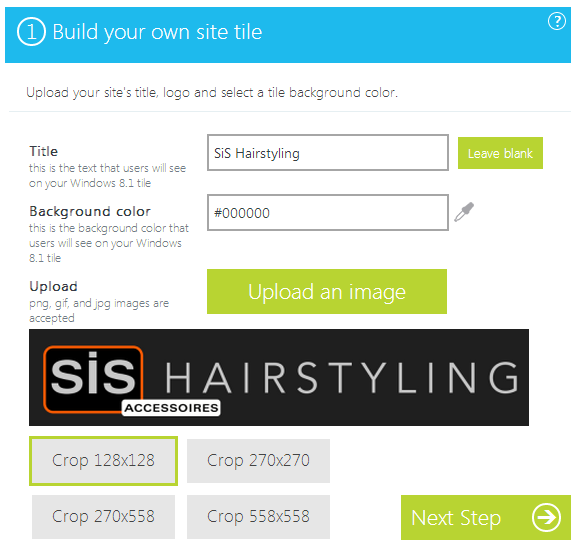
Just specify the title of the website, the background color of your tile and upload an image you want to use for your live tile. The result will be something like the image below.

image

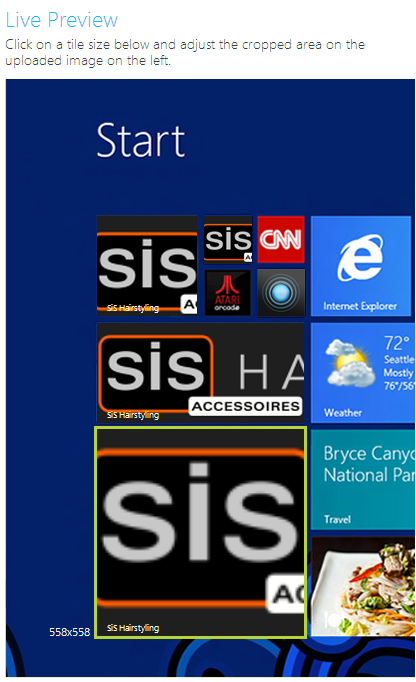
As you can see, there are 4 tile sizes you need to configure. The preview of the tiles is available at the right side of the screen.

image

The wizard doesn’t do a very good job at creating images. Therefore I’ve created my own tiles using Paint.NET with the correct dimensions. The dimensions you need to use for a tile are specified in the table below.

Read more →