
Running OSX Lion on Windows with VMWare Workstation
I finally succeeded in setting up a VM with OSX Lion installed. Setting up an OSX environment in any VM tool has always been hard, but since Apple has decided to build for the x86 platform it has gotten a lot easier.
In the past couple of years I’ve tried to set up an Apple VM, but never really succeeded in it. Today I decided to try again. Apparently there are a lot of torrents out there containing OSX VM’s, so I’ve downloaded one of them to try out the OS.
After setting up the VM in VMWare Workstation and booting up I received an error telling me this guest OS couldn’t run with software virtualization and I had to enable hardware virtualization. My development machine has the VT-x option (Intel Virtualization Technology) in the BIOS, so enabling that fixed this issue.

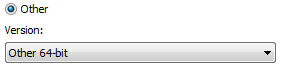
Now, booting the guest OS again gave another error. VMWare Workstation told me the guest OS wasn’t Mac OS X Server. Changing this option to ‘Other 64-bit’ didn’t help either.
The virtual processors kept failing when booting up.
Lucky for me, the guys at SysProbs had already created a fix for this problem. Running the windows.bat file which is nested in the tar file of their download added a new option to the VMWare Workstation software
Read more →