
Developing in an Azure Virtual Machine

I’ve been creating solutions for customers on my development laptop for years now. This works great as it’s a portable device and we get to have some great hardware in a compact form nowadays. However, laptops are still quite slow when you compare them to a desktop. This has become quite noticeable to me as I’ve been doing more development on my new desktop.
You can get some nice laptops with desktop-like performance, but most of the time it’ll cost a lot of money and will add a couple of pounds in weight. As I like to travel light, when travel is allowed again, a heavy laptop isn’t ideal.

Seeing there’s lots of horsepower in the cloud, it occurred to me I can just as well spin up a beefy virtual machine in Azure and develop on there. The main downside to this scenario is you need a (stable) internet connection to do any development. But to be honest, I need an internet connection anyways to do some actual development.
I do need this virtual machine to be safe and secure, so spinning up a VM and connecting to it via a public IP through RDP isn’t advised. To protect a virtual machine from the big bad internet you can add it in a virtual network and connect to it via a private IP-address. Of course, this makes the initial deployment a bit complex.
Read more →

Firewall blocks almost everything, can’t do development work

Sometimes you’re hired by a company which is a bit rigorous on blocking outgoing communication. A security consultant would probably agree on this practice, but most developers won’t. Nowadays a lot of services in the cloud operate on different ports. Azure services don’t always operate on port 80 and 443, hosted noSQL providers have connection strings with (seemingly) random ports, etc. It’s not always easy to get approval to open ports in the company firewall, especially if you’re doing some tests and proof of concept projects. A way to get around this policy is to create a virtual machine in Azure.

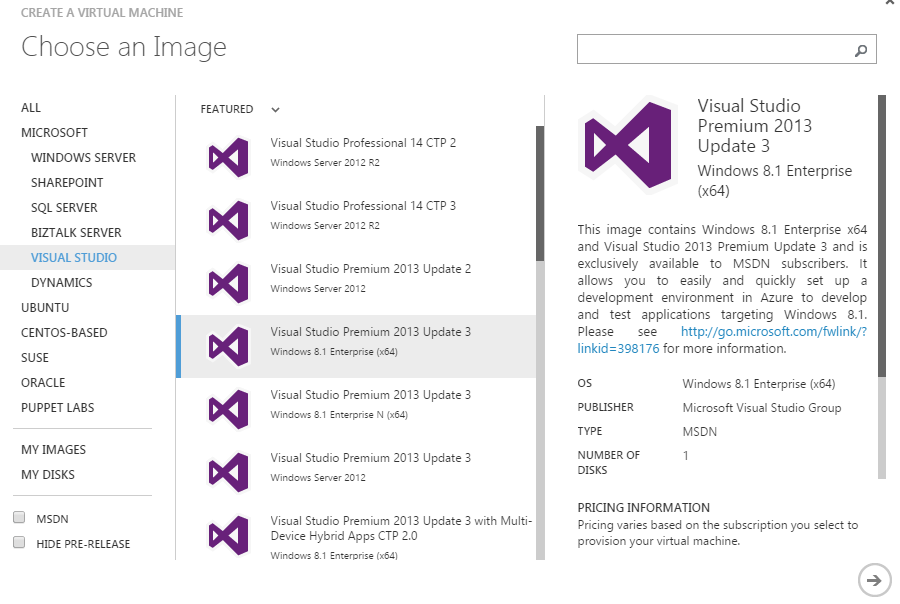
When you choose to create a new virtual machine from the gallery you can create an image with Visual Studio pre-installed on it. Even the latest versions are available!

image

After completing the wizard you’ll have to wait a few minutes for the machine to spin up.

Don’t be happy just yet. When you try to connect to the machine, you’ll probably get a timeout or some other connection problem. This is because the configured RDP port is probably also blocked by your company firewall. A way to fix this is to set the public RDP port to 80 or 443 (which company would block normal HTTP(S) traffic?). This setting can be configured on the Endpoints tab of the virtual machine.

Read more →