
Fabric and retrieval of MWC Token failed
Last Thursday, we started having connectivity issues with our data repositories hosted in Microsoft Fabric. We experienced multiple timeouts, were no longer able to connect to the SQL databases, and queries to the Warehouse and Lakehouse also failed. After some initial analysis, we discovered the following error in our logs and IDEs:
Retrieval of MWC token used for accessing storage failed with error ‘0xa (MWC service error: Server responded with error: 400)(DmsPbiServiceUserException: An internal system error has occurred.)’ (7451)
Opening the Warehouse and running a simple SELECT-query resulted in the same error:
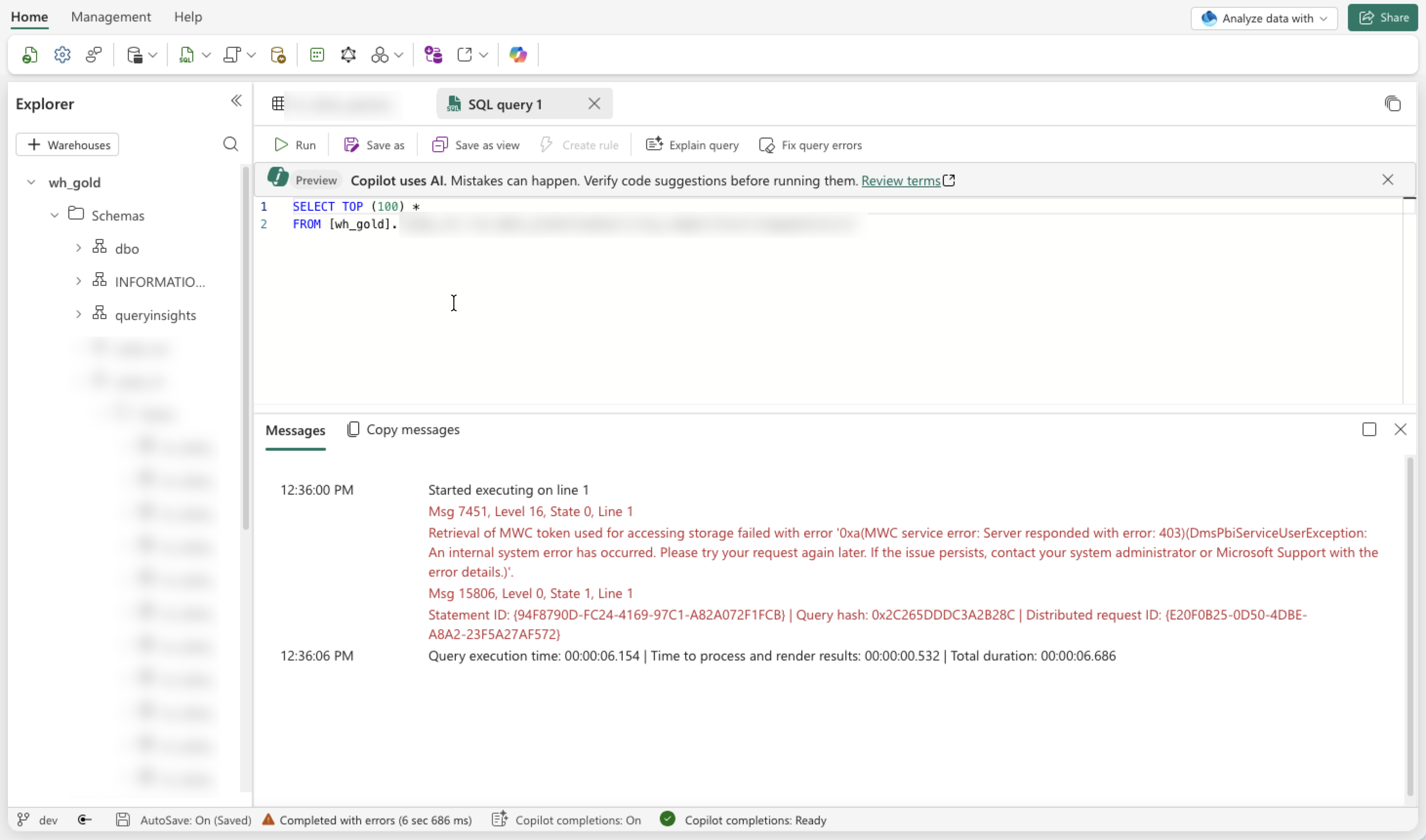
We found this quite strange, as there had not been any deployments or changes in either Microsoft Fabric or our Microsoft Azure solution in the past couple of days.
The error was not very obvious to me either. I figured there must have been something wrong with the Workspace, maybe due to suspending and resuming the Capacity on a daily basis. It could be that something was stuck in an erroneous state, or maybe the capacity had reached its limits and throttling was occurring, which would be strange because this is a DEV instance.
What I did to troubleshoot:
- Suspend and resume the Capacity again.
No luck - Scale up from an F4 to an F8.
No luck, and based on my monitoring solution we were only using about 50% of the capacity anyway. - Changed the permissions of the managed identity connecting to the Workspace (Viewer and Contributor via direct and group assignments).
No luck. As mentioned, nothing had changed, so everything should still have been working as before.
The solution
You will never guess this, or at least I would not have.
Not based on the exception, nor on my expectations of how a product like Fabric should behave.