
Creating a Web API to work with XML requests
For a project on the side I’m creating a Web API which has to parse XML requests in a POST. The first method I’ve written looks like this:
[HttpPost]
public HttpResponseMessage IndexPost(RequestModel requestMessage)
{
	return new HttpResponseMessage(HttpStatusCode.Accepted) { Content = new StringContent("This is the POST API response from BusinessPartner!") };
}
To test the new API I’m using the Postman Chrome plugin . With this plugin you are able to send requests to an endpoint and see what the response is. Of course you can also use Fiddler for this, but I like the user experience of Postman a bit more.
There were a few problems I encountered during the development of the Web API.
The first problem was this error:
{
    "message": "An error has occurred.",
    "exceptionMessage": "No MediaTypeFormatter is available to read an object of type 'RequestModel' from content with media type 'text/plain'.",
    "exceptionType": "System.InvalidOperationException",
    "stackTrace": "   at System.Net.Http.HttpContentExtensions.ReadAsAsync[T](HttpContent content, Type type, IEnumerable`1 formatters, IFormatterLogger formatterLogger)\r\n   at System.Net.Http.HttpContentExtensions.ReadAsAsync(HttpContent content, Type type, IEnumerable`1 formatters, IFormatterLogger formatterLogger)\r\n   at System.Web.Http.ModelBinding.FormatterParameterBinding.ReadContentAsync(HttpRequestMessage request, Type type, IEnumerable`1 formatters, IFormatterLogger formatterLogger)\r\n   at System.Web.Http.ModelBinding.FormatterParameterBinding.ExecuteBindingAsync(ModelMetadataProvider metadataProvider, HttpActionContext actionContext, CancellationToken cancellationToken)\r\n   at System.Web.Http.Tracing.Tracers.FormatterParameterBindingTracer.<>c__DisplayClass3.<executebindingasync>b__1()\r\n   at System.Web.Http.Tracing.ITraceWriterExtensions.TraceBeginEndAsync(ITraceWriter traceWriter, HttpRequestMessage request, String category, TraceLevel level, String operatorName, String operationName, Action`1 beginTrace, Func`1 execute, Action`1 endTrace, Action`1 errorTrace)\r\n   at System.Web.Http.Tracing.Tracers.FormatterParameterBindingTracer.ExecuteBindingAsync(ModelMetadataProvider metadataProvider, HttpActionContext actionContext, CancellationToken cancellationToken)\r\n   at System.Web.Http.Controllers.HttpActionBinding.<>c__DisplayClass1.<executebindingasync>b__0(HttpParameterBinding parameterBinder)\r\n   at System.Linq.Enumerable.WhereSelectArrayIterator`2.MoveNext()\r\n   at System.Threading.Tasks.TaskHelpers.IterateImpl(IEnumerator`1 enumerator, CancellationToken cancellationToken)"
}
This was quite surprising as I thought I was sending a proper request which could be serialized. For reference, I was sending a POST request to https://localhost:11210/api/businesspartnerapi/ in this format:
<RequestModel><RequestMessage>1</RequestMessage></RequestModel>
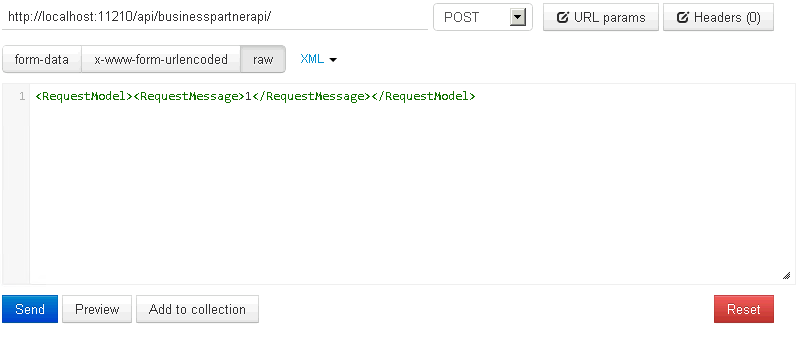
As I couldn’t find anything on the internet explaining what I did wrong, I started looking through the options of Postman. Apparently you can add information to the header of the request, like a content type. After having added the contenttype text/xml to the message the API returned the response which I had expected.
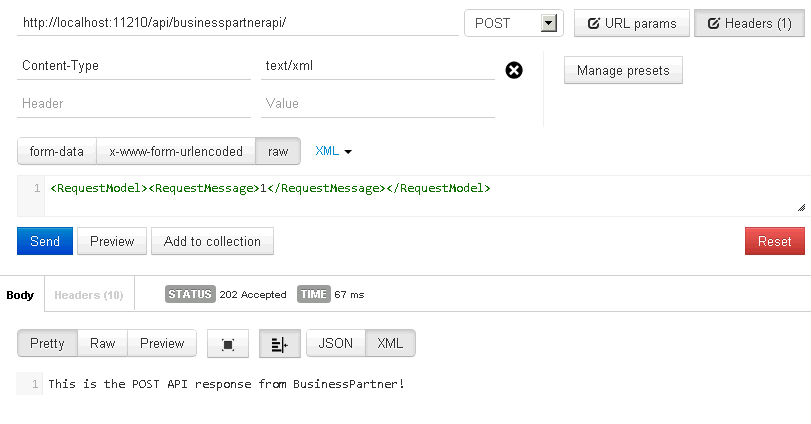
Success!
Apparently you need to specify the correct content type in order for ASP.NET to know how to deserialize the object.
But there is more. The second problem I faced was the requestMessage being null.

Quite strange as the model is serializable. I’ve also added the [Serializable]-attribute to the model, but to no avail.
From the back in the WCF days I remembered you have to add the [DataContract]- and [DataMember]-attributes to a model if you to use them in services. Therefore I added them to my model.
The RequestModel now looks like this:
[DataContract(Namespace="")]
public class RequestModel
{
	[DataMember]
	public string RequestMessage { get; set; }
}
After POST-ing another request to the API I was able to see the result.
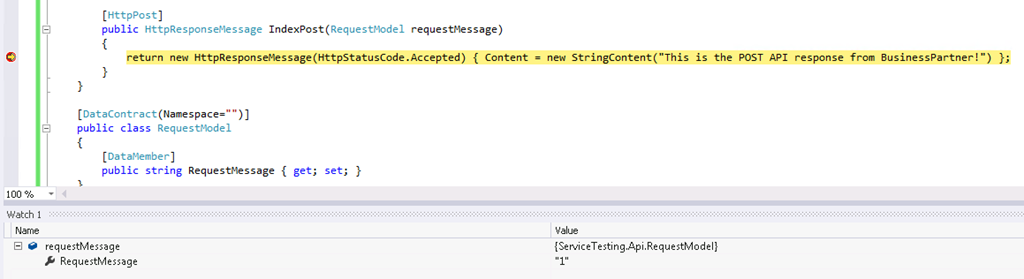
As you can see in the Watch window, the object is successfully created with the value I expected.
So, if you want to debug a Web API project, don’t forget to add the proper content type to your request and make sure you specify the attributes to your model so it can be (de)serialized.